
















Using Wedding Graphics to Create Memorable DIY Invitations, Websites, and More
Discover how to use wedding graphics to design personalized invitations, websites, and thank-you notes. This guide covers finding free or affordable graphics, choosing editing tools, and creating cohesive designs that reflect your wedding theme while saving costs and showcasing your creativity.


In our modern, technology-driven world, the way we plan, document, and preserve weddings has transformed dramatically. From custom-designed wedding invitations to interactive websites for sharing photos and videos, technology offers endless ways to add a personal touch to your special day. What was once considered a luxury or a novelty has now become a widely accessible option for couples looking to personalize their wedding without breaking the bank.
If you're considering creating DIY wedding materials or an online hub for your big day, wedding graphics are a must-have. They allow you to unleash your creativity, save money, and design elements that are uniquely "you." This detailed guide will walk you through the process of finding, editing, and using wedding graphics to enhance your wedding experience.
Why Use Wedding Graphics?
Wedding graphics are versatile elements that can elevate every aspect of your wedding planning and presentation. Whether you're creating custom invitations, thank-you notes, or an interactive wedding website, graphics help tie everything together with a cohesive visual theme. Here’s why they’re worth considering:
- Cost-Effective: Designing your own materials saves money on professional printing and design services.
- Personalization: You can create designs that reflect your personality and wedding theme.
- Flexibility: Use graphics for a variety of purposes, from online platforms to printed materials.
- Memorability: Adding a personal touch ensures your wedding stands out and feels unique to your guests.
How to Find Wedding Graphics
The internet is a treasure trove of free and affordable wedding graphics. Whether you're looking for floral patterns, elegant typography, or themed illustrations, there are countless resources available. Here’s how to find the perfect graphics for your project:
1. Free and Low-Cost Resources
- Free Stock Graphics Websites: Sites like Unsplash, Freepik, and Pixabay offer high-quality graphics at no cost. Many include wedding-specific designs, such as floral patterns, decorative frames, and romantic icons.
- Specialized Wedding Graphics Sites: Platforms like Canva and Creative Market provide curated collections of wedding templates and graphics. While some are free, others require a small fee.
- Subscription Services: For a wider selection, consider subscribing to platforms like Adobe Stock or Envato Elements, which offer a vast library of graphics for a reasonable monthly fee.
2. Tips for Downloading Graphics
- File Formats: Look for graphics in PNG, JPG, or SVG formats for easy editing. PNG files often have transparent backgrounds, making them ideal for layering.
- Licensing: Ensure the graphics you download are licensed for personal use, especially if you’re using free resources.
Choosing the Right Graphics Editing Software
To edit and customize your wedding graphics, you’ll need a graphics editing program. While professional tools like Adobe Photoshop are industry standards, they may not be necessary for your needs. Here are some alternatives based on your skill level and budget:
1. Professional Options
- Adobe Photoshop: The gold standard for graphic design, but at $800 or a monthly subscription fee, it’s best for advanced users or those planning to use it beyond wedding projects.
- Adobe Illustrator: Ideal for creating vector-based designs that scale without losing quality.
2. Affordable and Beginner-Friendly Options
- Canva: An intuitive, web-based tool perfect for beginners. It offers drag-and-drop functionality and plenty of pre-made wedding templates.
- Affinity Designer: A one-time purchase software with powerful design tools for just $50.
- GIMP: A free, open-source alternative to Photoshop with robust editing features.
- Figma: A collaborative design tool that’s free for personal use, great for creating web-based graphics.
Creative Uses for Wedding Graphics
Once you’ve gathered your wedding graphics and chosen your editing tool, the possibilities are endless. Here are some ways to incorporate graphics into your wedding materials:
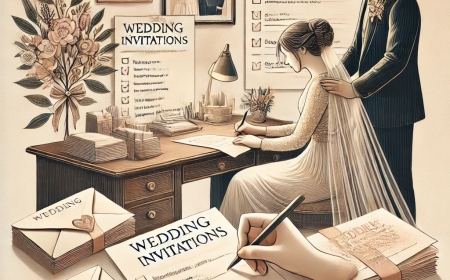
1. Custom Wedding Invitations
Designing your own invitations allows you to tailor every detail, from the font to the layout.
- What You’ll Need: High-resolution graphics, card stock, and a reliable home printer.
- Design Tips: Use floral or decorative borders to frame your text. Choose elegant calligraphy fonts to enhance the romantic feel.
2. Wedding Websites
A wedding website is a convenient way to share details with your guests, such as the event schedule, RSVP options, and your photo gallery.
- How to Get Started: Many web hosts, like Wix or Squarespace, offer user-friendly website builders with customizable templates.
- Incorporating Graphics: Use your chosen graphics as background images, buttons, or banners to match your wedding theme.
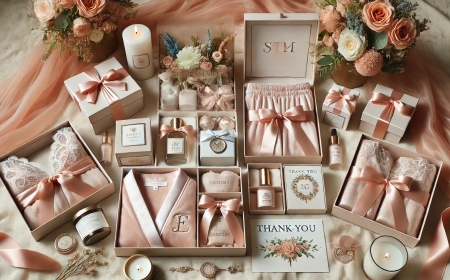
3. Thank-You Notes
Show your appreciation with personalized thank-you cards featuring your wedding graphics.
- What You’ll Need: Card stock or pre-folded cards, a home printer, and your graphics editing software.
- Design Tips: Incorporate a graphic element from your invitations to maintain a consistent look across all your wedding materials.
4. Wedding Day Signage
Create signs for your ceremony and reception, such as seating charts, menu displays, or directional signs.
- What You’ll Need: Foam boards or posters, printable adhesive paper, and your edited designs.
- Design Tips: Use bold typography and high-contrast graphics to ensure readability from a distance.
5. Digital Slideshows and Videos
Enhance your wedding videos or slideshows with animated graphics or overlays. Many video editing programs, such as Adobe Premiere Pro or iMovie, allow you to integrate custom graphics seamlessly.
Step-by-Step Guide to Designing Your Wedding Graphics
- Plan Your Theme: Decide on a cohesive color palette and style, such as vintage, modern, or rustic.
- Gather Graphics: Download and organize your chosen graphics into folders for easy access.
- Edit and Customize: Use your graphics editor to tweak the colors, sizes, and placements of your graphics.
- Test Print or Preview: Before finalizing, print a test copy or preview your web page to ensure everything looks perfect.
- Finalize and Share: Save your designs in high-quality formats for printing or uploading.
Tips for Success
- Start Early: Give yourself plenty of time to learn your design software and experiment with different layouts.
- Keep It Simple: Avoid overcrowding your designs with too many elements. A clean, minimalist look is often more impactful.
- Ask for Feedback: Share your designs with a friend or family member for a second opinion.
Conclusion: A Personal Touch for Your Special Day
Wedding graphics offer a creative and cost-effective way to personalize every aspect of your big day. Whether you’re designing DIY invitations, creating an interactive website, or crafting thank-you notes, the right graphics can bring your vision to life. With a little effort, the right tools, and a dash of creativity, you can make your wedding uniquely yours—down to the last detail.
What's Your Reaction?